Almost every lead you lose is a lead you simply did not follow up with enough. The enquiry came in, you replied once, and then life got busy and the follow-up never happened. The frustrating part is that most of those leads were not a no. They just needed a nudge or two that never came.
GoHighLevel is built to fix exactly this, by turning follow-up from something you have to remember into something that happens automatically. This guide walks through how to automate follow-ups in GoHighLevel in plain English: what a workflow is, which triggers to use, how to space the messages, and the one rule that keeps the whole thing from embarrassing you. It is written for the business owner who wants to understand what is possible, not for a developer.
Why Manual Follow-Up Always Breaks Down
Before the how, it helps to be honest about the why. Every owner intends to follow up with every lead. Almost nobody manages it, and it is not a discipline problem. It is a time problem.
Research from Velocify suggests it takes somewhere between five and eight touches to convert a typical lead, yet most businesses manage one or two before they run out of time or forget. Worse, the follow-up that does happen is inconsistent: the leads you happen to remember get chased, the ones you forget go cold, and you have no reliable way of knowing which is which. That inconsistency is the real leak, and it is the thing automation removes. We covered the wider picture in lead follow-up automation for service businesses; this post is about doing it specifically inside GoHighLevel.
The Building Block: A Workflow
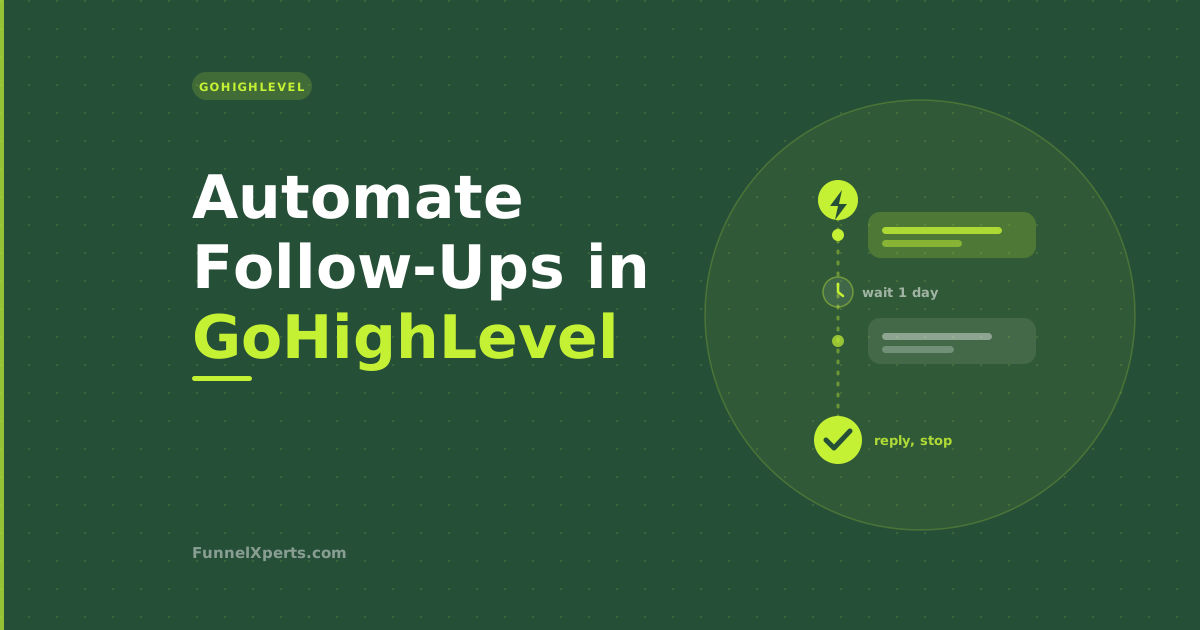
In GoHighLevel, follow-up automation lives in something called a Workflow. A workflow is just a set of instructions that says: when this happens, do these things, in this order, with these gaps in between. You build it once, and it then runs for every lead automatically.
Every workflow has three parts worth understanding:
A trigger. The event that starts the sequence, such as a new lead coming in or a quote being sent.
Actions. The things the workflow does, mainly sending a text or an email, but also tasks like adding a tag, moving a pipeline stage, or notifying you.
Wait steps. The gaps between actions, so your messages are spaced out over days rather than firing all at once.
That is the whole concept. A trigger kicks it off, actions send the messages, and wait steps control the timing. Once you see follow-up as those three pieces, building it becomes straightforward. If you want the full list of what GoHighLevel offers for each piece, we keep a complete, plain-English reference of every trigger and action in GoHighLevel.
Choosing the Right Trigger
The trigger is where a follow-up automation begins, and picking the right one matters because different situations need different sequences. For a service business, three triggers do most of the work.
A new inbound lead. When someone fills in a form, sends a message, or is added as a contact, a workflow can fire an instant response and then begin a follow-up sequence. Speed here is decisive: MIT and InsideSales research found that responding within five minutes makes a lead far more likely to convert than waiting even half an hour, and a workflow hits that every time, even out of hours.
A pipeline stage change. This is the most powerful trigger for follow-up. When you move a lead into a stage like Quote Sent, a workflow can automatically start chasing that quote for you. We go deep on this in how to automate estimate follow-up, and it pairs naturally with a well built sales pipeline.
A missed call. When an inbound call goes unanswered, a workflow can text the caller straight back and then follow up if they do not reply, which recovers leads that would otherwise vanish. This is the engine behind missed call text-back.
You can run several follow-up workflows at once, each launched by a different trigger, so every type of lead gets a sequence built for its situation.
Building the Sequence Step by Step
Here is what a solid new-lead follow-up workflow looks like inside GoHighLevel, laid out as the steps you would add. The exact wording is yours, but the shape works for most service businesses.
- Step 1, instant reply (no wait). The moment the trigger fires, send a text: a warm acknowledgement that you have received their enquiry and will be in touch, or a question to start the conversation. This alone puts you ahead of every competitor who takes hours to respond.
- Step 2, wait one day. Add a wait step so the next message does not crowd the first.
- Step 3, helpful nudge. Send a short text offering to answer questions or book a time. The tone is helpful, not pushy.
- Step 4, wait two days. Another gap.
- Step 5, value email. Send a slightly longer email that reminds them what you do, why you are a good choice, and includes reviews or examples of your work.
- Step 6, wait three days. A longer gap as the sequence stretches out.
- Step 7, gentle check-in text. A light touch that keeps you in mind and offers an easy next step, such as holding a slot for them.
- Step 8, closing-the-loop message. A final message a few days later that signals you will stop chasing for now but remain available. This one often prompts the reply, because people respond when they sense the door is about to close.
That is roughly six or seven touches across a couple of weeks, spread between text and email, which is exactly the number of touches that research says it takes and almost nobody does by hand. GoHighLevel does it for every single lead without you thinking about it.
The One Rule You Must Not Skip: Stop on Reply
Here is the rule that separates a follow-up sequence that builds trust from one that annoys people. The sequence must stop the instant a lead replies or books.
Nothing feels worse to a customer than receiving an automated "are you still interested?" the morning after they already said yes. It makes your business look like it is not paying attention, which is the opposite of what good follow-up is meant to signal.
In GoHighLevel you prevent this with a stop condition, sometimes set up as a goal or a removal rule on the workflow. It listens for a reply, a booking, or a stage change, and the moment the contact responds, GoHighLevel takes them out of the sequence automatically and a real person picks up the conversation. Set this before you turn anything on. Automation opens the door; a human walks through it.
Text, Email, and Timing
A few principles keep your automated follow-ups effective rather than irritating.
Use text for the short, timely nudges. SMS open rates sit above ninety percent according to Twilio, so a brief, friendly text is far more likely to be seen and answered than an email. Use email for the longer messages where you make your case in detail, share reviews, or explain your process.
On timing, resist the urge to message daily. A touch every couple of days feels attentive; a message every day feels desperate. The sequence above spaces contacts out over roughly two weeks, which keeps you present without becoming a nuisance. And always write like a person rather than a corporation, because a text that reads like a mail-merge gets ignored.
Where Follow-Up Fits in the Bigger Picture
Automated follow-up is one piece of a larger system, and it works best when it is not an island. In GoHighLevel, the same platform that chases your leads also books appointments, sends reminders, requests reviews, and re-markets to past customers, all from one place. That is the whole point of running on one platform instead of five separate tools: the follow-up, the pipeline, and the messaging share one contact record and one set of automations, so nothing falls between the cracks.
If you are still weighing up the platform itself, our comparison of GoHighLevel versus generic CRMs is a good next read, along with our broader explainer on what marketing automation actually is for service businesses.
Doing It Yourself Versus Having It Built
Can you build this yourself? Yes. GoHighLevel gives you the tools, and a simple new-lead workflow is within reach of a patient owner willing to learn the interface.
The honest catch is that the value is not in the software, it is in the setup. Sequences that trigger on the right events, stop cleanly on reply, use the right message on the right channel, and match how your business actually wins work take some know-how to get right, and a follow-up workflow that misfires or double-messages people does more harm than none at all. That is the difference between a tool and a working system.
GoHighLevel is the platform we build on for our clients, and it is genuinely excellent for this. But we do not just hand over a login and wish you luck. We build the follow-up workflows around your business, wire in the triggers and stop rules, write the sequences in your voice, and hand you something that chases every lead reliably from day one. You get the results of the automation without having to become a GoHighLevel expert yourself.
The Payoff
Automating follow-ups in GoHighLevel comes down to a simple promise: every lead gets contacted fast, chased consistently over the following days, and left alone the moment they respond, all without you lifting a finger. That consistency is the difference between the leads you currently lose to silence and the jobs you win because you were the business that stayed in touch. You already know follow-up works. This is how you make sure it always happens.
If you want your follow-ups automated in GoHighLevel without spending weeks learning the platform, book a free systems review. We will build the workflows around your leads and your voice, so every enquiry gets chased and no job slips through the cracks.
Written by Muhammad Naimt Ullah, CRM and automation specialist at FunnelXperts.