Ask most service business owners where their leads are and you'll get an answer that lives in three places: a few in the phone, a couple in the email inbox, and the rest in their head. It works right up until it doesn't, until a quote gets forgotten, a promising enquiry goes cold, or two people give conflicting answers to the same customer.
A sales pipeline fixes that. And despite the corporate-sounding name, it isn't a tool for big sales teams, it's one of the simplest, highest-impact things a small service business can set up. This post explains what a pipeline actually is, the stages that work for service businesses, and how to build one that does the chasing for you.
What a Sales Pipeline Actually Is
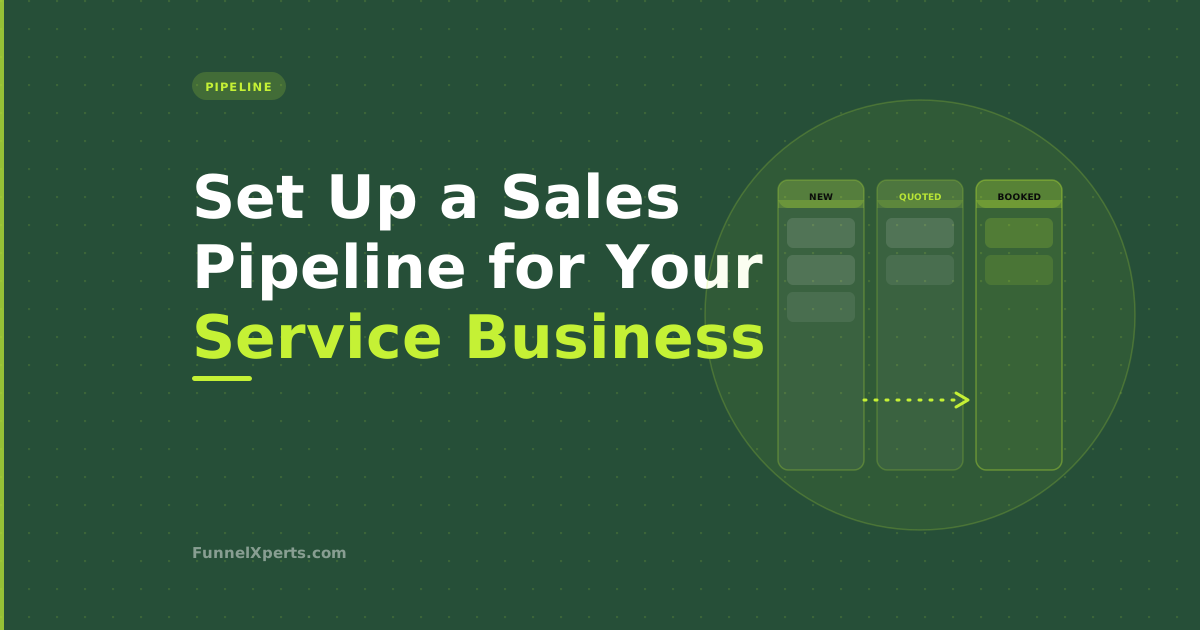
A sales pipeline is just a visual board that shows every lead and what stage they're at in your process. Think of it like a row of columns: a lead starts in the first column when they enquire, and moves across, column by column, until the job is done.
At any moment, you can look at the board and see the whole picture, who's just come in, who's waiting on a quote, who's booked for next week, and who's gone quiet. Nothing lives in your head, nothing hides in an inbox, and nobody has to ask "did we ever get back to that person?" because you can see exactly where they are.
That visibility is the first benefit. But the real power comes later, when each stage starts triggering actions automatically. First, though, you need the stages themselves.
The Stages That Work for Service Businesses
Generic CRMs ship with sales stages built for software deals, "Discovery," "Proposal," "Negotiation." Ignore those. Your pipeline should mirror how a job actually flows through your business. For most service businesses, that's five or six stages:
New Enquiry. Every lead lands here the moment they get in touch, a form fill, a phone call, a message. This column should never have anything sitting in it for long, because a new enquiry's only job is to be contacted fast.
Contacted. You've made first contact. The lead knows you exist and you've started a conversation. If they need a site visit or more information before you can quote, this is where they wait.
Quote Sent. You've given them a price. This is the most important column to watch, because it's full of people who are actively deciding, and it's where the most jobs are won or lost depending on whether you follow up.
Booked. They've said yes and the job is scheduled. Now the focus shifts to making sure they turn up and the job runs smoothly.
Job Complete. The work is done. This isn't the end, it's the trigger for asking for a review and setting up the next visit.
Repeat / Dormant. Past customers who could book again. Keeping this column alive is how you turn one-off jobs into repeat revenue.
The names are yours to adjust. What matters is that every lead is always sitting in exactly one clear stage, and that the stages match the real journey from "hello" to "job done and asked for a review."
Where the Pipeline Stops Being a Chart and Starts Being a System
A pipeline drawn on a whiteboard is useful. A pipeline inside a CRM is transformative, because each stage can trigger an action automatically the moment a lead moves into it.
This is the shift that changes everything for a small business. Instead of a board you have to remember to act on, you get a system that acts on its own:
- A lead lands in New Enquiry → they get an instant text or email so they hear from you within minutes, not hours. Speed here is decisive; research from MIT and InsideSales found responding within five minutes makes a lead dramatically more likely to convert.
- A lead moves to Quote Sent → an automated follow-up sequence kicks in, nudging them over the next two weeks so no quote ever dies in silence.
- A lead moves to Job Complete → a review request fires automatically, and later a reminder to book their next service.
Now the pipeline isn't just showing you the state of your business, it's running the follow-up, the reminders, and the review requests for you, triggered simply by dragging a card from one column to the next. That's the difference between tracking your leads and actually working them.
How to Build Yours, Step by Step
Setting up your first pipeline is straightforward if you take it in order:
1. Map your real process first. Before touching any software, write down every step a lead goes through from first contact to completed job. That list is your pipeline stages. Don't borrow someone else's, yours should reflect how you actually operate.
2. Keep it to five or six stages. More stages feel thorough but create friction; you'll stop updating them. Fewer, clearer stages get used consistently, and consistency is the whole point.
3. Put every current lead on the board. Migrate what's in your head, your phone, and your inbox into the pipeline. This first tidy-up alone usually surfaces a handful of forgotten quotes worth chasing.
4. Add one automation at a time. Start with the highest-value trigger, usually instant response on New Enquiry or follow-up on Quote Sent, get it working, then add the next. Trying to automate everything on day one is how people give up.
5. Make updating it a habit. A pipeline only works if leads actually move through it. The good news is that once automations are attached, keeping it current is worth it every single time, because moving a card does something.
The Tool Behind It
A pipeline like this needs a CRM where the board, your texting, and your automations all live together, otherwise you're back to stitching separate tools together, which is exactly the problem we covered in one platform versus five tools. The platform we build these on for most clients is GoHighLevel, because the visual pipeline, two-way SMS, and stage-triggered automation are all native, so dragging a card to "Quote Sent" can start a follow-up sequence with nothing wired together by hand.
If you're not yet sure whether you've outgrown your current way of tracking leads, our guide on whether you need a CRM is a good place to start, along with the wider lead follow-up automation picture.
Common Pipeline Mistakes to Avoid
Most pipeline problems come down to a handful of avoidable mistakes. Knowing them upfront saves you the frustration of building something you stop using.
Too many stages. The temptation is to add a column for every possible situation. Resist it. A pipeline with a dozen stages becomes a chore to keep current, and a pipeline nobody updates is worse than no pipeline at all. Five or six clear stages beat twelve precise ones every time.
Leads sitting in a stage forever. A pipeline is meant to show movement. If contacts are gathering dust in "Contacted" or "Quote Sent," that's not a pipeline problem, it's a follow-up problem the pipeline is helpfully exposing. Every stale card is a job quietly dying. The fix is automation that keeps nudging until the lead moves or clearly bows out.
Vague stage definitions. Everyone on the team should agree on exactly what it takes to move a lead from one stage to the next. If "Contacted" means something different to you than it does to your admin, cards get moved inconsistently and the board stops reflecting reality.
Treating it as a reporting tool, not a working tool. The pipeline isn't there to produce end-of-month figures, though it does that too. It's there to drive daily action: who to call, which quote to chase, which finished job needs a review request. If you only look at it once a month, you're missing the point.
Forgetting the back end. The stages after "Booked", Job Complete and Repeat/Dormant, are where repeat revenue lives, and they're the ones businesses most often neglect. Keep them active and your pipeline keeps paying you long after the first job is done.
Avoid these and your pipeline stays something the whole team actually uses, which is the only kind of pipeline that's worth anything.
Why It's Worth the Setup
A sales pipeline is the backbone that everything else hangs off. Without one, your follow-up is patchy, your reviews are inconsistent, and your repeat business depends on memory. With one, especially an automated one, every lead gets contacted fast, every quote gets chased, every finished job gets a review request, and every past customer stays in view.
For a small team with no spare hours, that's not admin overhead. It's the difference between hoping nothing slips through the cracks and knowing nothing can.
If you want a pipeline built around how your business actually runs, with the follow-up and review automations already wired in, book a free systems review. We'll map your process and set it up so it works from day one.
Written by Muhammad Naimt Ullah, CRM and automation specialist at FunnelXperts.