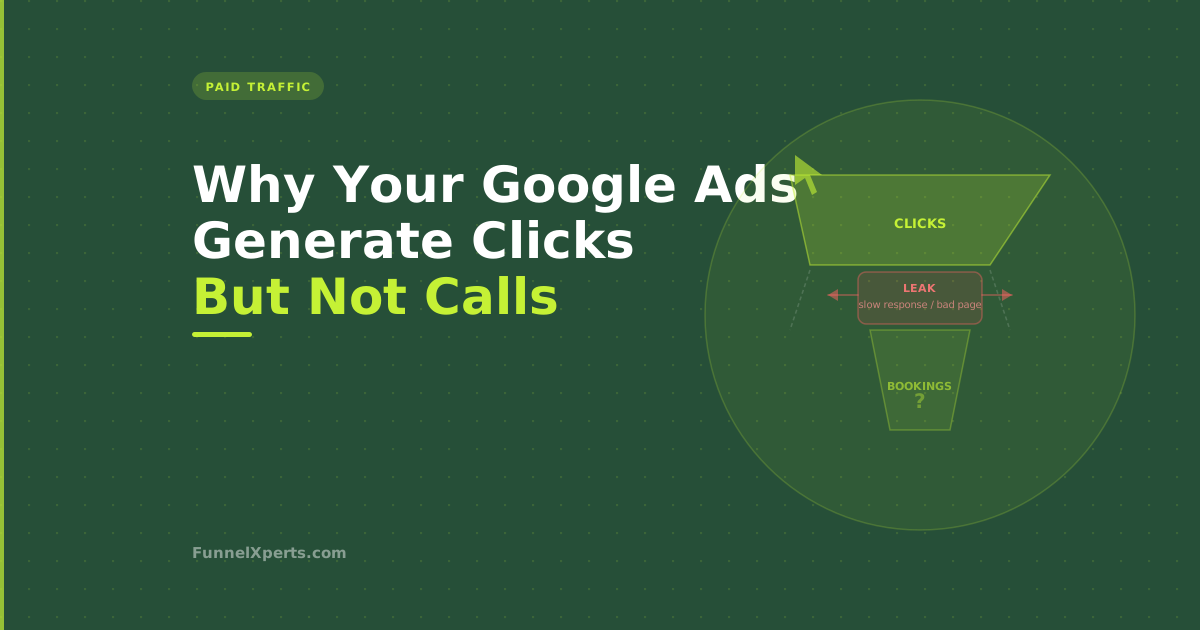
You're spending money on Google Ads. The dashboard says the clicks are happening. The cost per click might look reasonable. But the phone isn't ringing at the rate you'd expect, and the bookings aren't keeping pace with what you're spending.
This is one of the most common situations we see when a service business brings us in to look at their marketing. The ads are running. The data looks fine on the surface. But somewhere between the click and the booking, people are falling off.
Most business owners assume the problem is the ad. Sometimes it is. More often, it's one of five other things, and understanding which one is causing the drop-off is what makes the fix possible.
The Journey From Click to Booking
Before diagnosing what's wrong, it helps to be clear about what needs to go right.
A Google ad for a service business generates a click. That click goes to a landing page (or your homepage). The visitor reads enough to decide whether to make contact. They call, fill in a form, or open a chat. You (or your system) respond to that contact. The conversation happens. A quote is requested or a booking is made.
That's four to six steps where things can break down. The ad is only responsible for step one. Everything after that is the landing page, your response time, your follow-up process, and your close rate. All of which are things the ad platform cannot fix for you.
The Five Real Reasons Google Ads Don't Convert
Reason 1: Your landing page doesn't match the ad
This is the most common and the most fixable. When someone searches "emergency plumber [city]" and clicks your ad, they expect to land on a page that immediately confirms you're an emergency plumber in their city, that you're available, and that calling or booking is the obvious next step.
If instead they land on your homepage with a carousel of your services, a news update from 2023, and a contact form buried below the fold, the mismatch is enough to lose them. They go back and click the next result.
A proper landing page for a service business ad campaign should have: your headline with the service and location, a clear value proposition (same-day service, licensed, insured, 500+ reviews), your phone number large and clickable at the top, a short and simple contact form, and social proof (reviews, badges, years in business). Nothing else. No navigation menu, no links out, no distractions.
Reason 2: Your response time is too slow
Someone clicks your ad, lands on your page, and fills in your contact form. They're in active purchase mode. They probably have two or three tabs open. You follow up the next morning.
They've already booked with someone else.
Google Ads leads are time-sensitive in a way that organic enquiries often aren't. Someone who found you through a Google search and filled in your form after reading your reviews and your About page is already warm. They've done their research. They're ready to talk now.
Someone who clicked an ad is slightly different: they were prompted rather than searching you out. That means their commitment to your specific business is lower. They're comparison shopping. They need a fast response that makes the decision easy before they move on.
If your lead follow-up depends on someone checking email or returning calls during business hours, you're losing a meaningful percentage of paid traffic to competitors who respond faster. Automated instant follow-up, triggered the moment a form is submitted or a call is missed, closes this gap.
Reason 3: You're targeting the wrong keywords
Not all keywords that seem relevant actually convert. This is a nuanced but important distinction.
"What does a roof repair cost" is a Google search that generates clicks. The person searching it is in research mode, not purchase mode. If your ad shows for this keyword and someone clicks it, they're probably not ready to book. They're gathering information. Your cost per click is real; their likelihood of converting right now is low.
"Emergency roof repair [city]" is different. The person searching this has an immediate need and a location. They're ready to call. The same £5 click converts at a completely different rate.
Look at your search terms report in Google Ads (not your keywords, the actual terms that triggered your ads) and ask honestly: are these terms from people who need your service right now, or are they from people who are still figuring out whether they need it? Negative keywords, terms you explicitly exclude, are as important as the keywords you're targeting.
Reason 4: Your budget is running out before peak hours
Google Ads budgets run in real time. If your daily budget is £30 and your ads are set to run all day, you might exhaust the budget by mid-afternoon. Most service businesses get more calls between 4pm and 7pm than at any other time, because that's when people are home and dealing with household problems.
If your ads aren't showing during peak hours because the budget ran out, you're paying for the low-value traffic in the morning and missing the high-intent traffic in the evening.
The fix is either to increase the budget or to use ad scheduling. Set your ads to run only during the hours with the highest conversion rate, and let the full budget concentrate there. You'll see fewer clicks but more conversions from the same spend.
Reason 5: Your phone doesn't get answered
This one is uncomfortable but worth saying directly. A meaningful percentage of the time, Google Ads don't convert because nobody answered the phone.
Someone clicked the ad, saw your number, called, and got voicemail. They hung up and called the next result.
Missed call text-back recovers some of these leads automatically. But the underlying issue, call answer rate, needs to be tracked honestly. If you're running Google Ads and your team is answering fewer than 70% of inbound calls, you're spending money on leads that your own operation is losing.
How to Diagnose Which Problem You Have
Pull these numbers from your Google Ads account and your CRM or call tracking tool:
Click-through rate (CTR): if this is low, the problem is the ad copy or bidding strategy. If it's reasonable (2-5% for search ads), the ad itself is working.
Landing page conversion rate: the percentage of people who visited the landing page and filled in a form or called. If this is below 3-5%, the landing page is the problem.
Lead-to-call rate: of the form submissions you get, how many result in a conversation. If this is low, response time is the problem.
Lead-to-booking rate: of the conversations that happen, how many become booked jobs. If this is low, the problem is in the sales conversation itself, usually pricing, trust, or availability.
Working through these numbers in order tells you exactly where to focus. Most businesses find the problem within the first two metrics: the landing page or the response time.
What Good Tracking Looks Like
Most service businesses running Google Ads are tracking clicks and click costs. Very few are tracking the full funnel through to booked jobs.
Setting up call tracking (a call tracking number that routes to your business line and logs which ads generated the call) is the single most useful thing you can do to understand what's actually working. Google Ads has a native call tracking option, or you can use a third-party tool like CallRail.
When call tracking is in place alongside a CRM, you can attribute booked jobs back to specific keywords and campaigns. That tells you which keywords are generating revenue, not just clicks, and gives you the data to shift budget toward what's actually working.
Without this attribution, you're optimising for cost per click, which is the wrong metric. The right metric is cost per booked job.
The Fix That Often Makes the Most Difference
In our experience, the improvement that makes the biggest difference for most service businesses running Google Ads is not changing the ads themselves. It's making sure every lead that the ads generate gets a response within 5 minutes.
Ads generate demand. Systems convert that demand into revenue. A mediocre ad with a great follow-up system will outperform a great ad with a slow, manual follow-up process almost every time.
If you're looking at your Google Ads cost and wondering where the return is, audit your response time before you audit your keywords.
If you want both your ads and your follow-up system reviewed, book a free systems review. We'll look at the full funnel, from click to booking, and show you exactly where the revenue is being lost.
Written by Muhammad Naimt Ullah, CRM and automation specialist at FunnelXperts.